
How SchoolKonnect Works: Product Guide
One record for each student, family and staff member, and a menu built for every role. Here is how SchoolKonnect runs a school day.
One record, every module
SchoolKonnect is built around a single record for each student, family and staff member. Everything else uses those records, so nothing is typed twice and the modules never disagree.
Here is how one student moves through the system in a school year:
- Enquiry. A parent calls or walks in. The front office records an enquiry with a follow-up date.
- Application. The enquiry converts into an online application with the details already filled in. The family uploads documents from a phone.
- Admission. The school reviews, approves and admits. Admitting creates the student record, places the child in a class and section, and creates the parent login.
- Fees. The class's fee structure bills the student automatically, with any concession applied. The family sees what is due in the parent app and can pay online.
- Daily attendance. The class teacher marks the register on a phone each morning. Absences reach parents the same day, and the office sees the whole school's attendance by the first period.
- Teaching. Homework, the class diary and the timetable all hang off the same class, so parents and students see them without any extra step.
- Exams. The exam coordinator creates an exam for the class; its subjects load automatically. Teachers enter marks for their own papers, and the results and report cards are published to parents together.
- Year-end. Close & Promote moves the whole class up, checking class strength and ages, and the record carries on into next year.
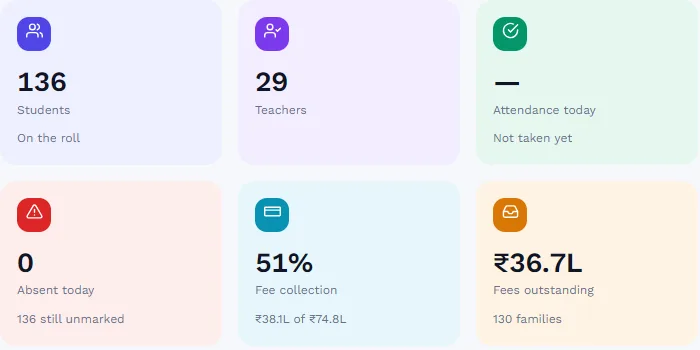
The Dashboard shows the day's figures from those same records: students, attendance, absences, fee collection, fees outstanding and admissions pending, with cards for the day's work.
Built around roles
Each person sees a menu built for their job. A school creates roles such as Principal, Accountant or Front Office from a list of about 90 permissions, and every menu item, page and record follows those permissions. Teachers see only their own classes; parents and students see only their own records. Read more on our security page.
A day in SchoolKonnect
School owner and administrator
The Owner sets the school up once (profile, academic year, classes, staff, roles, fees and timetable) and then mostly watches. The Dashboard and the school MIS report show attendance, collections and admissions, the audit trail shows who changed what, and modules can be switched on or off as the school grows.
Principal
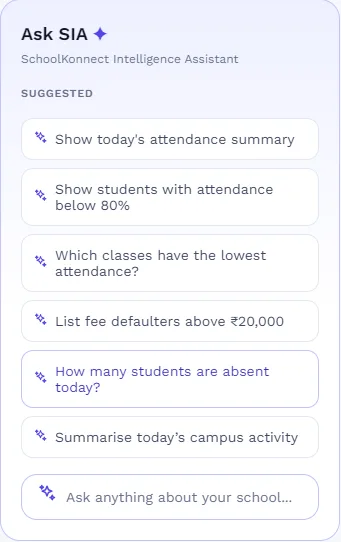
The principal's day starts with questions: which classes had the lowest attendance, who has been absent for three days, how collections compare with last month. SIA, the AI assistant, answers them from live data. The principal approves staff leave, publishes exam results and report cards, and sends school-wide messages with read receipts. See the principal's Monday review.
Accountant
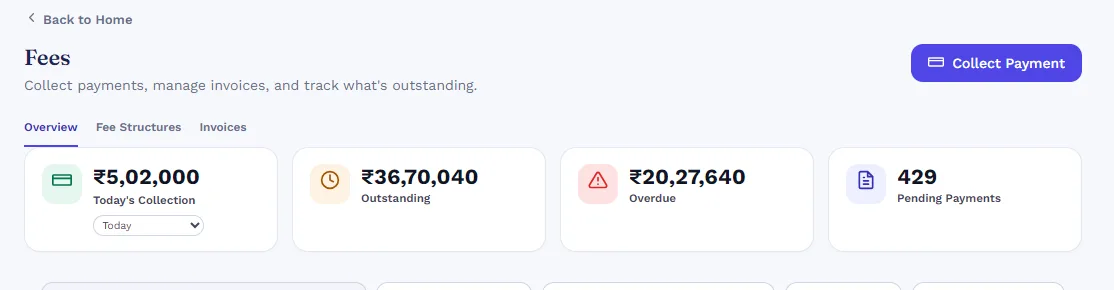
The accounts desk sets fee structures by class and term, bills students, collects payments at the counter or online, and issues receipts. Concessions and late fees follow written rules, and the Defaulters tab lists overdue families for follow-up. See 7 ways to reduce fee defaults and fee concession policy.
Front office
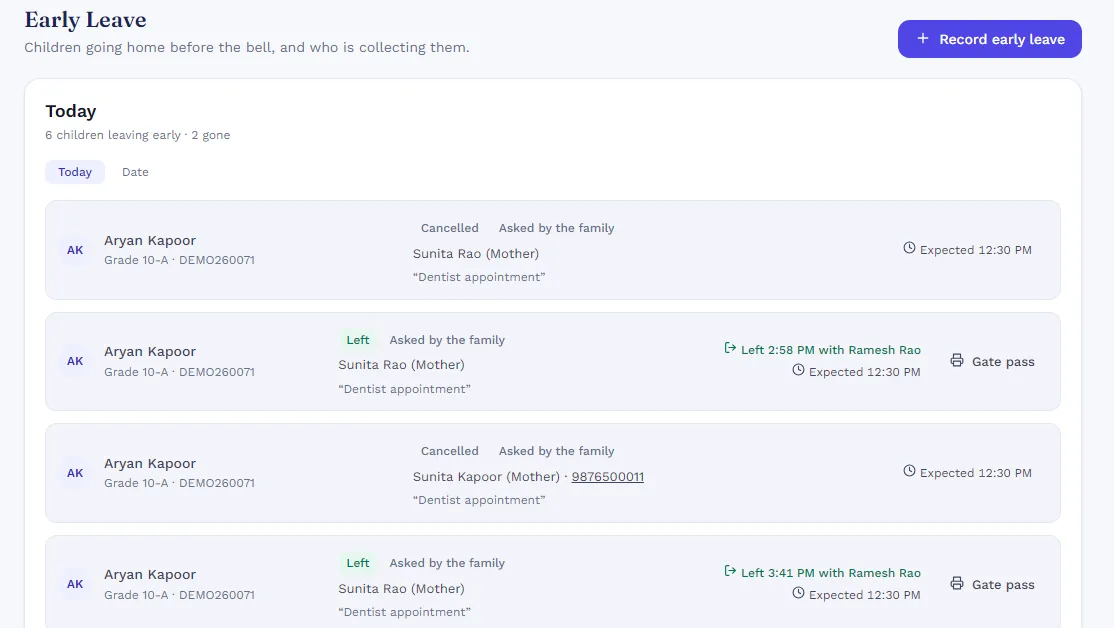
The front desk checks visitors in and prints gate passes, handles early pick-ups so a child leaves only with the named collector, records items left for children, keeps the postal log, and follows up admission enquiries. It also prints certificates and ID cards from the school's own designs. See front office and visitor management.
Exam coordinator
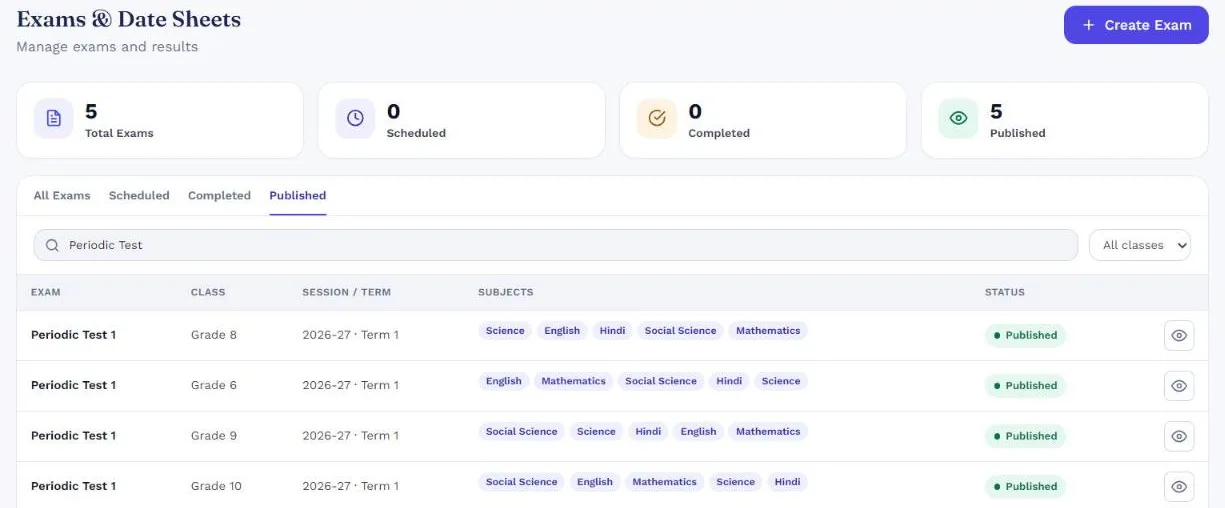
The exam coordinator creates exams with their date sheets, assigns invigilators, tracks which papers still need marks, and publishes results and report cards. Each paper can have components such as written, internal and practical, with their own pass marks. See exams and report cards and making report cards less painful.
HR and payroll
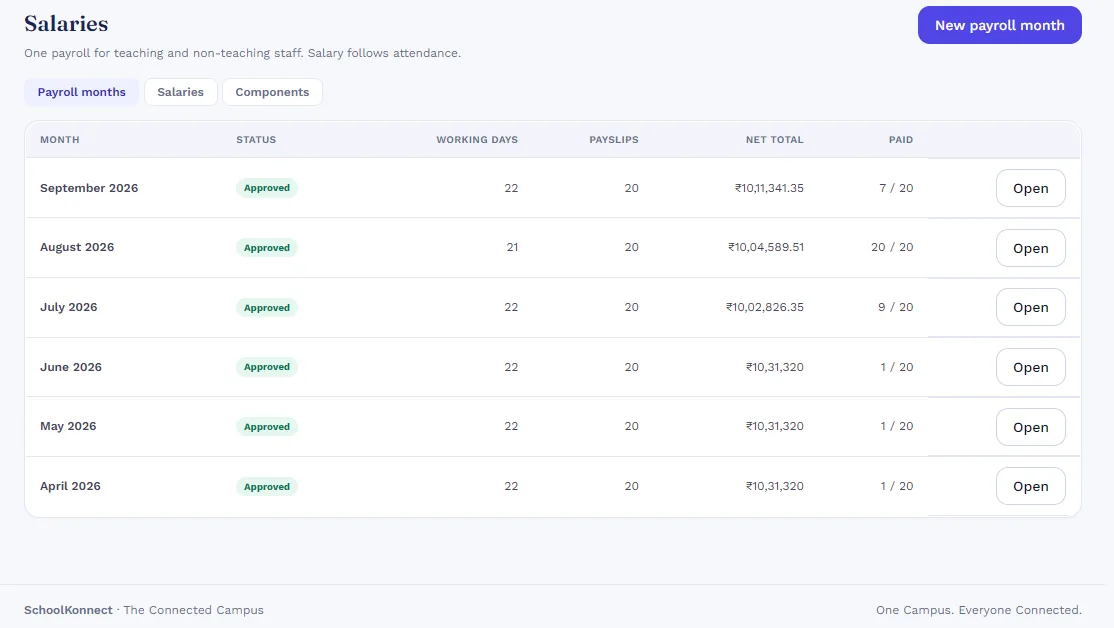
HR keeps staff records, marks the daily staff register and approves leave. Each month, payroll takes working days from attendance and approved leave, goes through approval, and produces payslips. See HR and payroll and school payroll in India.
Librarian and transport manager
The librarian keeps the catalogue and issues and returns books to students and teachers. The transport manager sets up routes, stops, buses, trips and riders, and transport fees are billed alongside tuition. See transport and the school transport safety checklist.
Teacher
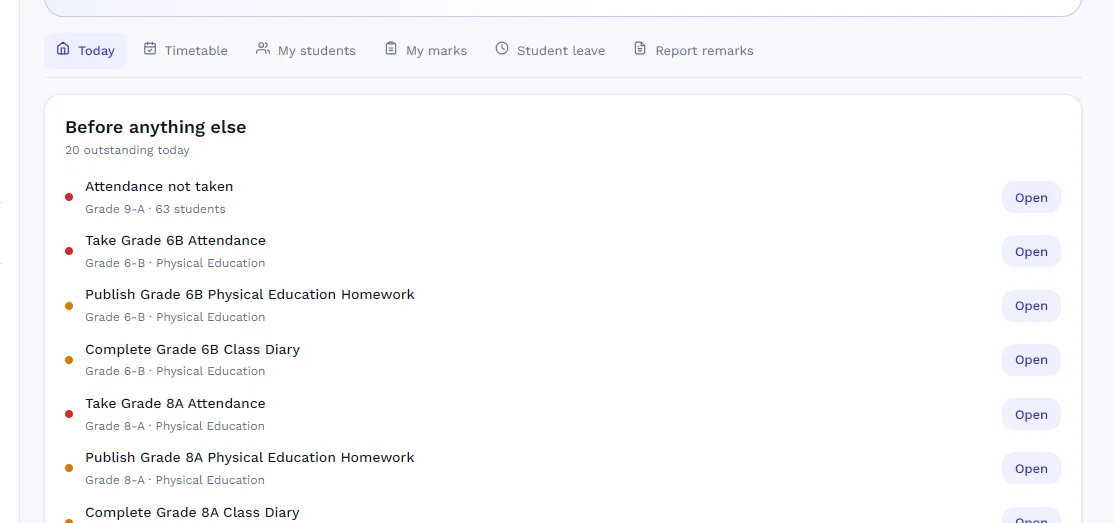
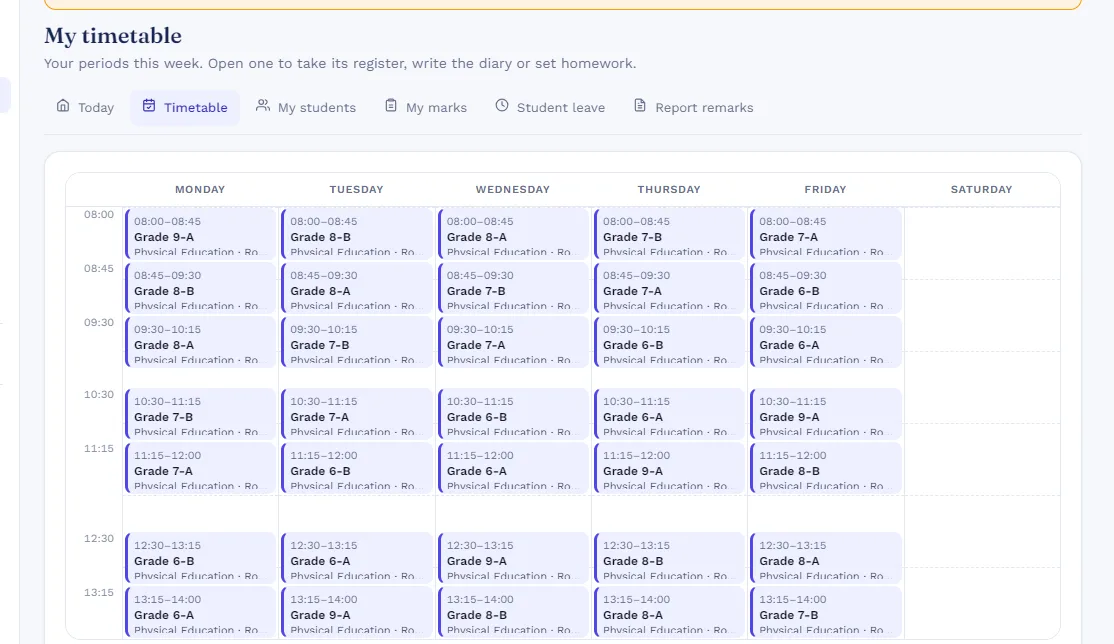
A teacher opens My Teaching to a short list of what is still outstanding today: attendance to take, the diary to write, homework to publish. They mark attendance in a minute, enter marks for their own papers, write report remarks and approve student leave, all from a phone. Their personal timetable shows each period's class and room. See 8 admin tasks software can take off a teacher's plate.
Parent
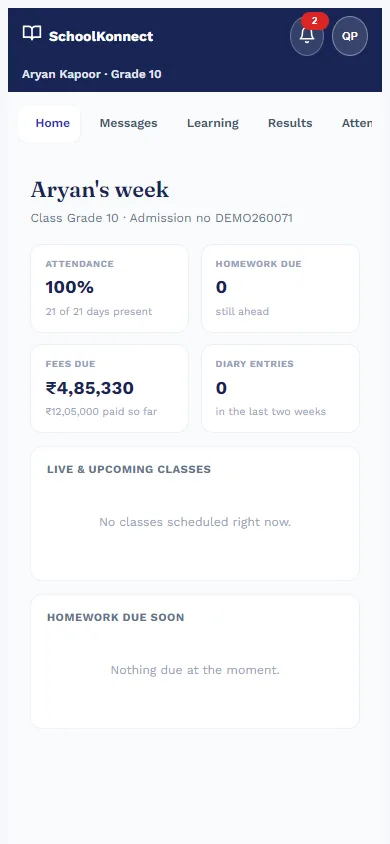
Parents open the parent app in any phone browser to see their child's week: attendance, homework, notices, fees and results, plus messages with the class teacher. They request early pick-ups and tell the school when they are dropping something off. A family with several children sees them all under one sign-in. See what parents want from a school app.
Student
Students sign in to see their timetable, homework and class diary, hand in assignments, check the exam date sheet and published results, and follow their progress over the year. Live online classes appear on the same home screen when teachers schedule them; see live classes.
Getting started
A new school is ready for daily use after ten setup steps: school profile and modules, academic year, classes and subjects, staff, roles and logins, students and parents, fees, timetable, exams, and optional modules such as transport, library and messaging. Our user manual walks through each step, and our team helps with setup and trains your staff.
Moving from Excel? Read moving your school from Excel to a school ERP. Questions? See the FAQ or book a demo.