Making Report Cards Less Painful: An Exam and Marks Workflow for CBSE and State-Board Schools
A step-by-step exam workflow for Indian schools: exam setup, paper components, teacher marks entry, remarks and publishing report cards.
Exams & report cards
Set up the exam, let each teacher enter marks for only their own papers, and publish results to families the moment the office approves them.
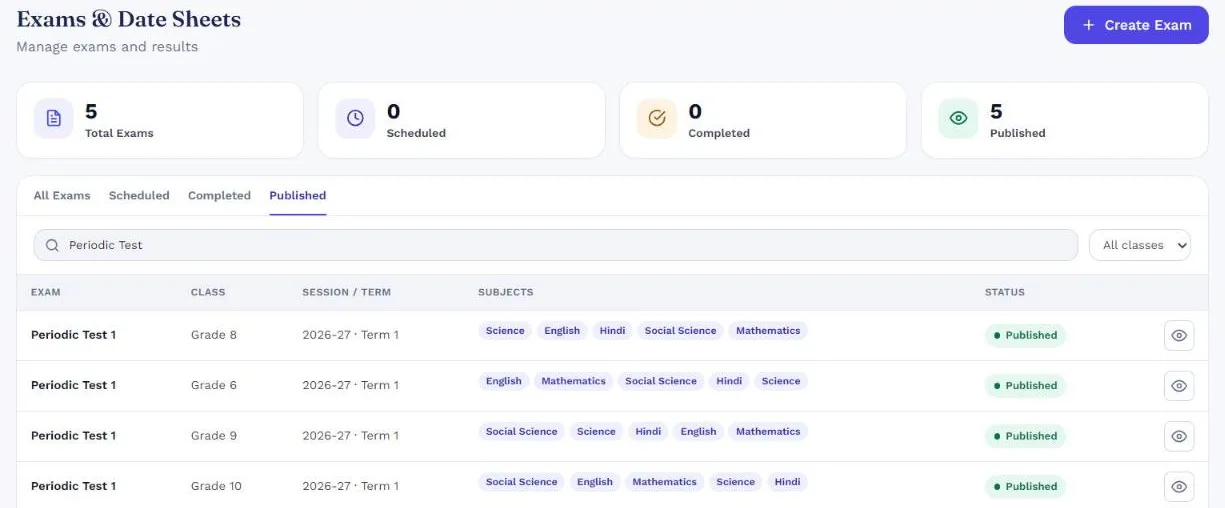
Unit tests, half-yearly and annual exams with their subjects, dates and maximum marks.
Split a paper into written, internal, practical or project parts with their own maximum marks.
Each teacher sees only the papers they teach and enters marks on a phone or laptop.
Invigilation duties assigned and visible to every teacher in advance.
Report cards built from the marks, with teacher remarks added per student before printing or publishing.
Move students to the next class at year end with your school’s pass rules and age checks applied.

Exams & report cards shares its records with every other SchoolKonnect module — students, classes, staff and fees are entered once and used everywhere. That is why reports add up and parents see the same figures as the office.
See every moduleReport cards are built from your own exam structure, so the terms, components and grading your board expects can be set up for your school.
Yes. Teachers enter marks for their own subjects and sections from any device; the office publishes results when they are ready.
Published results appear in the parent app. Nothing is visible to families until the school publishes it.
A step-by-step exam workflow for Indian schools: exam setup, paper components, teacher marks entry, remarks and publishing report cards.
A practical 2026 checklist for comparing school ERP software in India: modules, data ownership, parent adoption, pricing and demo questions.
Book a 30-minute walkthrough. We’ll set up a demo school with your classes and fee heads so your team sees exactly how a day would run.