APAAR ID and UDISE+: What Schools Need to Keep Ready
A plain-language guide for Indian school offices on APAAR IDs and UDISE+: what they are, the records you need, consent, and keeping data clean.

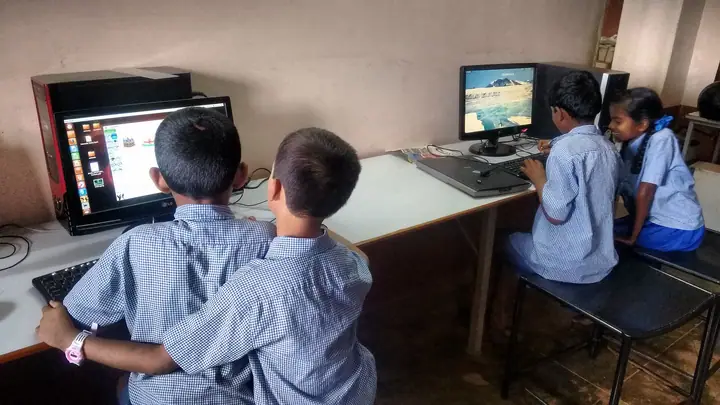
Photo: Byronkhiangte · CC BY-SA 4.0
Few things send a school office into a scramble like a UDISE+ deadline or an APAAR ID drive. Both depend on the same thing — accurate, complete student records — and both go smoothly when that data is kept clean all year instead of assembled in a hurry.
This is a practical overview, not an official guide. Procedures and deadlines are set by the Ministry of Education and your state, and they change; always follow the latest circular.
What is UDISE+?
UDISE+ (Unified District Information System for Education Plus) is the Ministry of Education’s national database of schools. Schools submit data about their infrastructure, teachers and students every year, and it is used for planning and for national statistics on enrolment, dropout and facilities.
UDISE+ now collects student-wise data. Each student is identified by a PEN (Permanent Education Number), which follows them across schools.
What is an APAAR ID?
APAAR (Automated Permanent Academic Account Registry) is a unique ID for each student, introduced under the National Education Policy 2020 and often described as “One Nation, One Student ID”. It is designed to hold a student’s academic record — results, certificates and credits — digitally across their education, linked to DigiLocker and the Academic Bank of Credits.
For schools, APAAR IDs are generally created through the UDISE+ system, using the student details the school already holds, after the student’s identity details have been verified.
Consent comes first
APAAR IDs are created with the consent of the parent or guardian for students under 18. Schools typically collect a signed consent form, and parents can withdraw consent. Keep consent records filed against each student — you will need to show them, and they are also good practice under India’s data protection law.
The records you need to get right
Most problems with UDISE+ and APAAR come down to small mismatches between the school’s records and the student’s identity documents. Check these fields for every student:
- Full name spelled exactly as in the identity document used for verification.
- Date of birth — the same date everywhere, in the same format.
- Gender.
- Father’s and mother’s names, spelled consistently.
- Class and section, admission number and date of admission.
- Category, disability status and other UDISE+ fields your state requires.
- Mobile number of a parent who can receive OTPs.
A name spelled “Mohd.” in one record and “Mohammad” in another is the most common reason a verification fails.
Keep it clean all year, not in the week before the deadline
- Collect the right documents at admission. Birth certificate and identity documents, with names checked against the application form on day one.
- Use one student record. If the fee register, the class register and the UDISE+ sheet each hold their own copy of a student’s name, they will drift apart.
- Record class changes and withdrawals when they happen, with the date and reason — transfer certificates included.
- Run a data-health check each term. Missing dates of birth, missing parent names and duplicate students are easier to fix in July than in the week before a deadline.
How SchoolKonnect helps
SchoolKonnect keeps one record per student — used by admissions, attendance, fees and exams alike — with documents attached. Student identity fields such as PEN and APAAR ID are stored on the student record, and the admissions module collects documents when the family applies, so the details are checked once, at the start.
If your office spends weeks every year reconciling student data, talk to us about bringing it into one place.